In the event an applicant joins a different organization, you will need to update their profile within your site to reflect the change.
If the organization does not already exist in your site, you will need to add the organization.
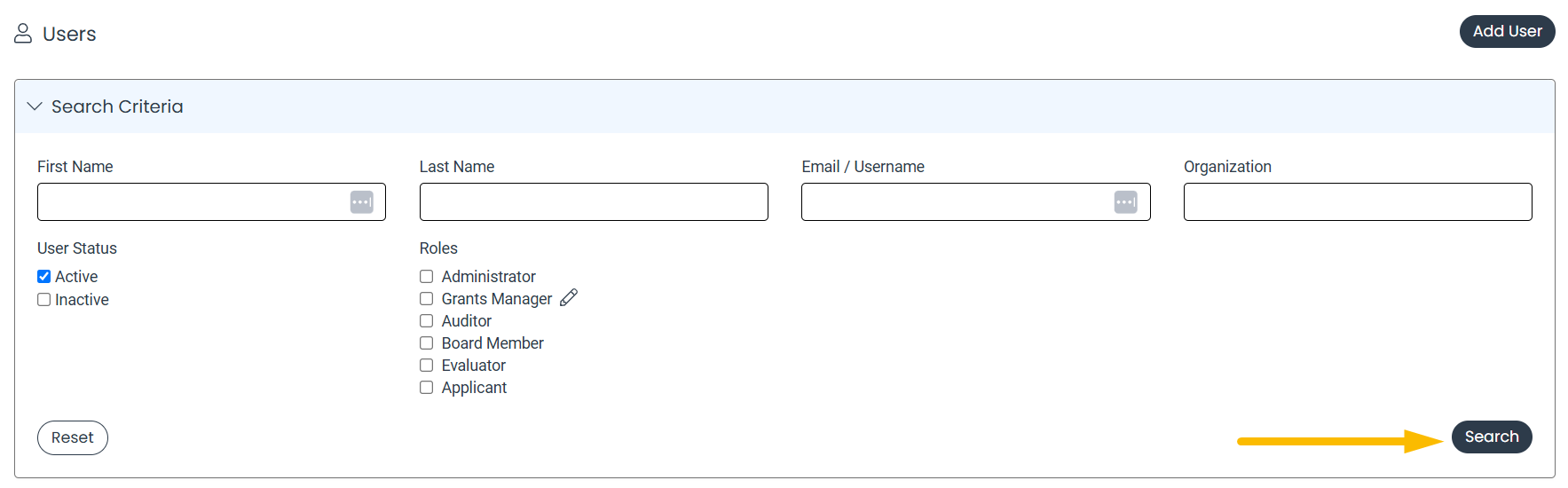
- Click Search on the upper navigation bar, and then select Users.
- Enter the applicable Search Criteria, and then click Search.
- Click the pencil icon to the next to the applicant's name.

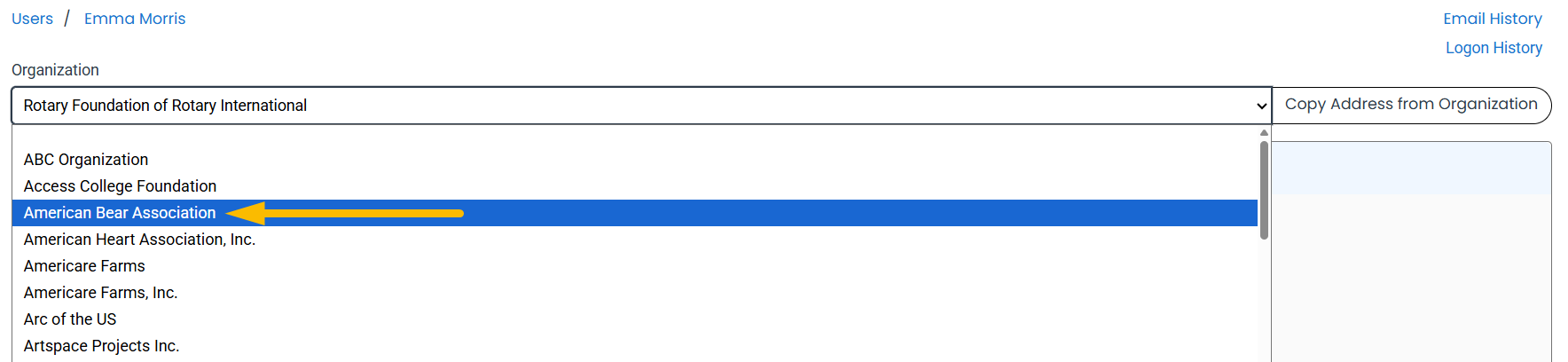
- In the Organization drop-down menu, select the applicable organization.
- Click Save.

All requests assigned to the applicant will move with them to the new organization. If you want the request history to display only the new organization's requests, move the request to a different organization.
If you do not want the requests to move to the new organization, reassign the requests to an applicant staying at the original organization before reassigning the user to a new organization.
If utilizing the integration with CommunitySuite, all requests assigned to the applicant that have been synced to CommunitySuite must be reassigned before the applicant can be moved.